
Inside My Home Assistant Setup: Raspberry Pi, Hue Lights, And The Next Three Upgrades
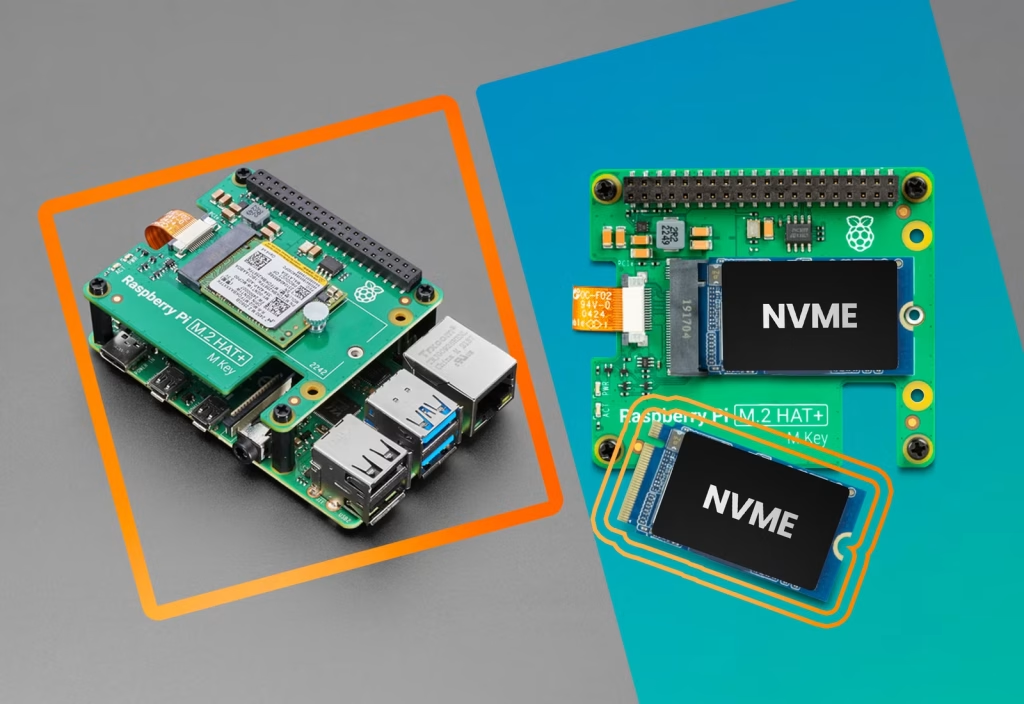
Every smart home starts as a pile of devices and good intentions. This is where my own Home Assistant journey is right now: a solid core running on a Raspberry Pi, a mix of lighting and heating gear, and a growing list of “next improvements” that will turn it from a fun project into real day-to-day infrastructure.
The Hardware: Raspberry Pi At The Heart
Right now Home Assistant is running natively on a Raspberry Pi from an SD card. It works, but SD cards are notoriously fragile under constant writes, especially in always-on setups like a smart home hub. Around it, a collection of devices has slowly accumulated: Philips Hue bulbs, IKEA smart bulbs, an HP printer, Samsung screens, and a Google Nest that have all been discovered automatically by Home Assistant.
Like many people, I also have a scattering of Amazon Alexa devices around the house, and Home Assistant has found them — but actually getting them to work cleanly together is still on the to-do list. At the moment, they are “visible” but not yet truly integrated into the automations that run the home.
Heating: From MiHome Valves To Tado
On the heating side, the setup has evolved. I used to run smart radiator valves from MiHome Energenie, but I’m now in the process of moving over to Tado. The goal here is better room-level temperature control and more intelligent scheduling, with Home Assistant acting as the central brain coordinating presence, time of day, and comfort preferences.
As that migration continues, the plan is to integrate Tado data and controls into Home Assistant, allowing heating to be driven by context — namely, who is home, the outside temperature, and the actual room usage.
Priority 1: Moving From SD Card To NVMe
The first major technical priority is to move Home Assistant off the SD card and onto a USB 3-connected NVMe drive. This upgrade dramatically improves reliability and performance because NVMe SSDs are far more resilient under constant logging and database writes than SD cards.
The migration path is straightforward: create a full backup, flash Home Assistant OS to an NVMe SSD via USB, configure the Raspberry Pi to boot from USB/NVMe, then restore the backup onto the new drive. Once that’s complete, the smart home core becomes significantly less fragile and far better suited for long-term use.
For more information, follow this link.
Priority 2: Fixing Naming Before It Becomes Chaos
The second priority is less glamorous but arguably more important: a proper naming convention for devices and entities. Home Assistant makes it very easy to end up with a sea of light.1, sensor.unknown_x, and vendor-style names that make sense to the integration but not to a human trying to build automations.
The plan is to move to a consistent, location-first pattern for both devices and entity IDs:
- Friendly names like “Dining Room Ceiling Lights” and “Office Desk Lamp”
- Entity IDs follow a clear pattern, such as
light.dining_room_ceilingorsensor.office_temperature
This kind of structure scales much better as more bulbs, sensors, and devices are added, and it makes automations easier to read and debug months later.
Priority 3: Groups That Make Sense In The Real World
The third priority is to get the frontend under control — specifically, how groups of devices like Philips Hue bulbs appear in Home Assistant. In the dining room, there are three Hue bulbs, grouped as “Dining Room” in the Hue app and in Home Assistant. The problem: Home Assistant shows both the group and each individual bulb, cluttering the interface when, in practice, only the grouped control is needed.
The goal is simple: on dashboards and in everyday use, only see “Dining Room” as a single controllable entity, with the individual bulbs hidden from normal views but still available behind the scenes for detailed automations if needed. This can be achieved by relying on the group or light group entity in Home Assistant and hiding the individual bulbs from the UI, providing a cleaner, more intuitive control surface for day-to-day use.
Where This Setup Is Heading
Taken together, these priorities — migrating to NVMe, refining naming conventions, and managing groups — are about transforming a hobby project into a durable, maintainable smart home platform. The hardware becomes more reliable, the entities become more understandable, and the interface matches how the house is actually used.
From here, future posts will delve into each of these changes in more detail, including step-by-step notes on the SD-to-NVMe migration, the final naming convention that emerges, and how grouped lights and rooms are ultimately represented on the dashboards that the family actually uses.